

Appearance
Platform Architecture
Tailor Platform resources are organized in a hierarchical structure. The following diagram illustrates the relationship between resources:
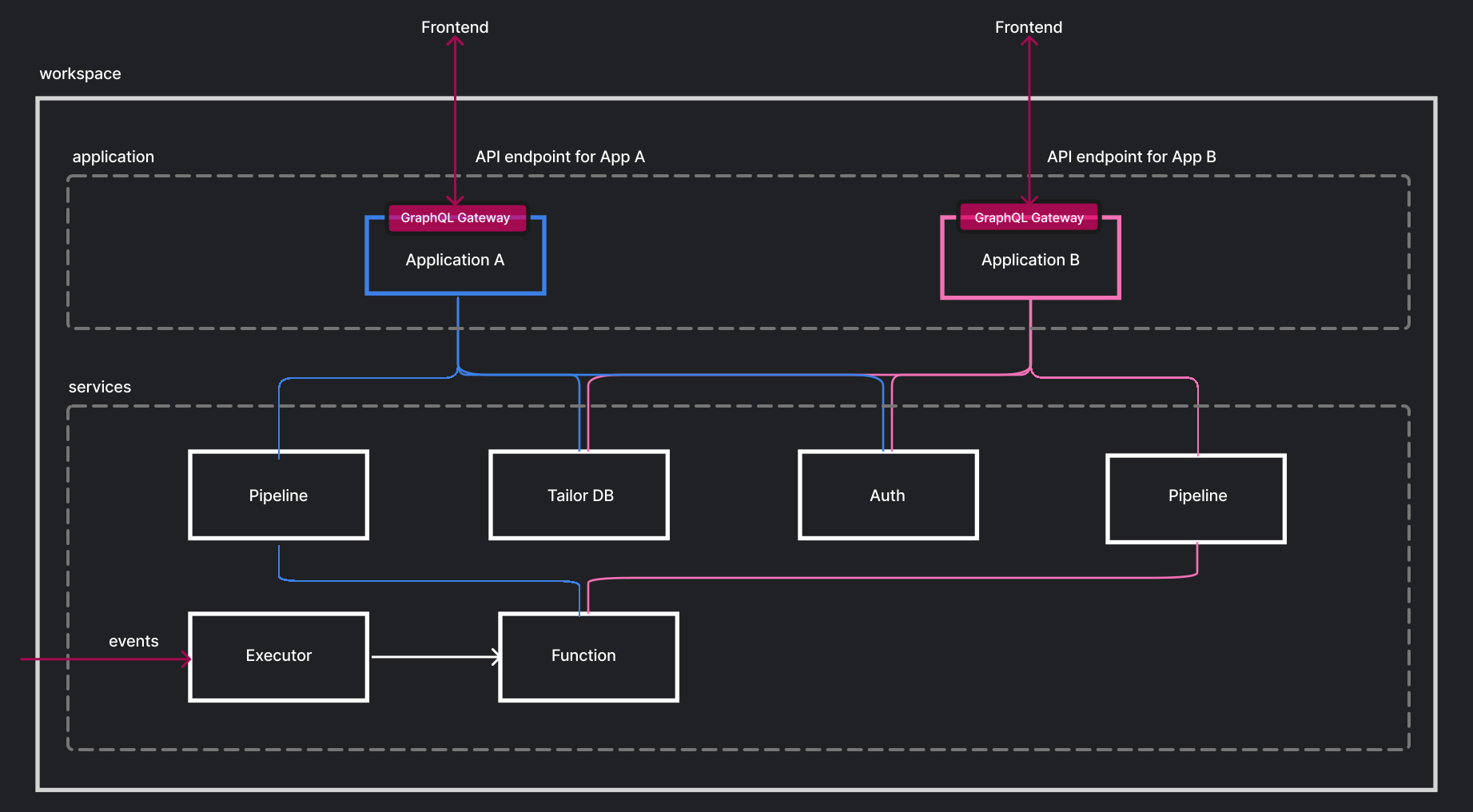
Resource Hierarchy
Workspace
A Workspace is the top-level namespace in the Tailor Platform for your organization.
- An application must belong to a Workspace
- Multiple applications can be hosted within a Workspace
- A workspace can have multiple admin users who manage the workspace and its applications
With the SDK, you can create a workspace using the CLI:
bash
npx tailor workspace create --name my-workspace --region us-westApplication
An Application represents your ERP application APIs, such as CRM, SCM, or any customized applications.
Each application can:
- Register services (TailorDB, Resolver, Auth) for use
- Configure CORS settings
- Provide a single GraphQL endpoint for all configured services
With the SDK, applications are defined in tailor.config.ts:
typescript
import { defineConfig } from "@tailor-platform/sdk";

export default defineConfig({
  name: "my-app",
  db: {
    "my-db": { files: ["db/**/*.ts"] },
  },
  resolver: {
    "my-resolver": { files: ["resolver/**/*.ts"] },
  },
  auth: { name: "my-auth" },
  // ... other configuration
});
Services
A Service is a pluggable microservice that you use to build applications. The application handles stitching services together to provide a single GraphQL endpoint.
Learn more about available services in Platform Services.
Next Steps
- Workspace & Application - Learn more about workspaces and applications
- Services - Explore available platform services
- Quickstart - Build your first application